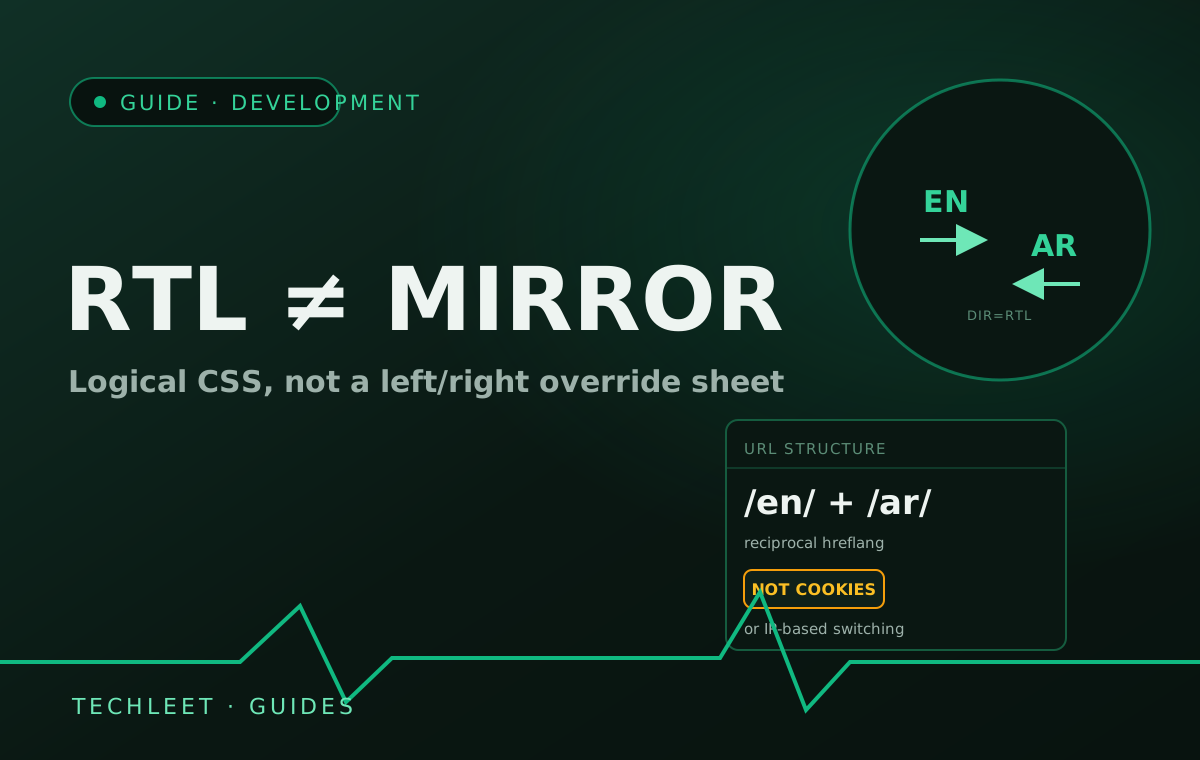
A bilingual Arabic/English website needs more than a translated copy of the English pages: Arabic reads right-to-left, and the browser only renders that correctly once the page sets dir="rtl" and lang="ar" on the <html> element and uses CSS logical properties instead of hardcoded left/right values. The push behind getting this right isn't only UX — the UAE has a draft Arabic Language Law, approved for drafting in 2026 and targeted for introduction by 2027, that would apply to both government and private-sector organisations across ten sectors, including technology and digitisation. Arabic-first expectations across the Gulf are moving from preference toward requirement, even before that law is finalised.
This is the kind of question that gets skipped on the same international and white-label work our white-label guide covers — an agency briefing a GCC-facing build rarely specifies RTL support up front, and a team used to English-only sites has no instinct to budget for it. Treating Arabic as "translate the copy, flip a stylesheet" is the single most common way this goes wrong, and it usually surfaces as broken spacing, scrambled phone numbers, or a URL structure search engines can't tell apart as late as launch week.
RTL is a browser feature, not a mirrored stylesheet
Set the direction once — dir="rtl" and lang="ar" on the <html> element — and build with CSS logical properties (margin-inline-start, padding-inline-end, text-align: start) instead of margin-left or text-align: right. The browser then does the mirroring itself: navigation, layout, and reading order all flip automatically, with no separate [dir="rtl"] override stylesheet to keep in sync every time the English version changes. The part teams get wrong in the other direction is mirroring things that shouldn't move: logos, photos, media-player controls, clocks, and the digits inside a number stay exactly as they are in both language versions — only the surrounding layout and text flow reverse.
Bidirectional text and URL structure
Arabic paragraphs routinely contain left-to-right fragments — a phone number, an email address, a product code, an embedded English brand name — and without help the browser's bidirectional text algorithm can render those out of order. Wrapping each known LTR fragment in its own element with dir="ltr" fixes that; for content the build doesn't control, like a visitor's name or a review, dir="auto" lets the browser detect direction per fragment instead. On the URL side, Google's guidance on multi-regional sites favours subdirectories — /en/ and /ar/ — over separate domains, subdomains, or switching language by cookie or IP: subdirectories are crawlable, shareable, and keep the domain's authority consolidated rather than split. Each language version then needs a reciprocal hreflang tag pointing to the other (not a one-directional annotation, the most common real-world mistake), plus an x-default for visitors matching neither.
The same scoping discipline applies here as to who should hold the domain and hosting on a white-label build — it's a question that needs an explicit answer before the build starts, not something inferred after launch.
Frequently asked questions
Can the Arabic version just be a mirrored copy of the English design?
Not reliably. Set dir="rtl" and lang="ar" once on the <html> element and build with CSS logical properties (margin-inline-start, padding-inline-end, text-align: start) instead of left/right, and the browser handles the mirroring itself — no duplicate [dir="rtl"] override stylesheet to maintain. But some things should never mirror: logos, photos, media-player controls, clocks, and the digits inside a number all stay as they are in both language versions.
Does switching to dir="rtl" break phone numbers, emails, or English brand names inside Arabic text?
It can, unless those fragments are isolated. Wrap known left-to-right content — a phone number, an email address, a product code, an embedded English name — in its own element carrying dir="ltr", or dir="auto" for content the build doesn't control, like a visitor's name or a review. That tells the browser's bidirectional text algorithm to render that span in the right order instead of guessing from the surrounding Arabic.
Should English and Arabic live on one domain, separate domains, or subdomains?
Google's own guidance on multi-regional sites favours subdirectories — yourdomain.com/en/ and yourdomain.com/ar/ — over separate domains, subdomains, or switching content by cookie or IP address. Subdirectories are crawlable and shareable, and they consolidate the domain's authority instead of splitting it. Each language version then needs a reciprocal hreflang tag pointing to the other, plus an x-default for visitors who don't match either.
Is there now a legal requirement to publish an Arabic version in the UAE?
Not yet in force, but moving that direction: the UAE has a draft Arabic Language Law, approved for drafting in 2026 and targeted for introduction by 2027, that would apply to both government and private-sector organisations across ten sectors, including technology and digitisation. The exact scope is still being finalised, so treat it as a planning signal rather than a compliance deadline, and confirm current requirements with GCC legal counsel before launch.
Once the Arabic version is live, is the work done?
No. New pages and promotions often ship in English first while the Arabic version lags behind, a later redesign can quietly reintroduce hardcoded left/right CSS that breaks the RTL layout, and translated copy drifts out of date faster than most teams expect. It belongs on the same recurring maintenance check as the rest of the site, not a one-time task finished at launch.