Find the leak.
Shut it down.
LeakHawk watches breach compilations, infostealer logs, ransomware leak sites and lookalike domains for your company, then helps you lock the exposed account and take the phishing site down.
What it watches
Six places your data turns up first
Pick what to monitor for each company. Agents handle the rest and only bother you when something is new.
Leaked passwords
Every address at your domains checked against public breach compilations. Cleartext stays masked until an analyst confirms with MFA.
Infostealer infections
Employee and customer devices whose saved logins and session cookies were stolen by malware, the kind that walks straight past MFA.
Breach exposure
Which breaches each person appears in, and which data types leaked with them: passwords, phone numbers, addresses.
Ransomware leak sites
A warning the moment your company, or a supplier you depend on, is listed on an extortion group's leak site.
Lookalike & phishing domains
Typosquats of your domain found as soon as they resolve, flagged harder when a live website is behind them.
Microsoft 365 response
Lock the exposed person’s Microsoft 365 account from the finding: end their sessions, force a new password, remove risky app access.
How it works
Watch. Alert. Respond.
01
Watch
Agents check every source on a schedule you set, every 6 to 48 hours per company, and log each run.
02
Alert
New exposure becomes one clear finding with severity and evidence, and a Telegram alert with secrets masked.
03
Respond
Lock the account in Microsoft 365, open a takedown for the phishing site, and track both until they're closed.
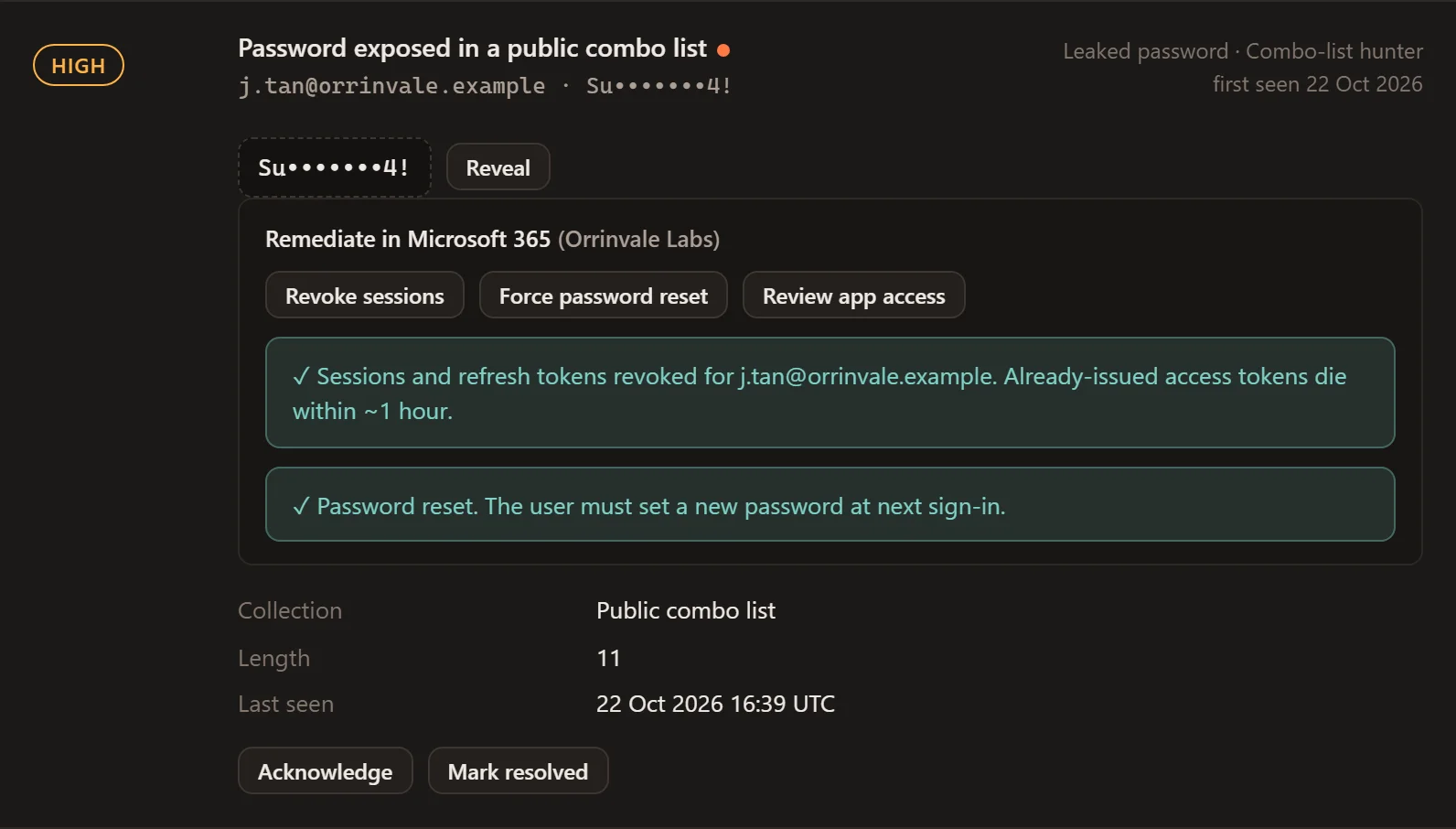
Microsoft 365 response
From alert to locked account in one click
When a leaked credential belongs to someone in your Microsoft 365 tenant, LeakHawk can revoke their sessions and refresh tokens, force a password reset, and show which third-party apps they've granted access to, so you can remove the risky ones.
- Acts on the person’s account, not their device
- Uses an app registration you create and control
- Every action written to the audit log
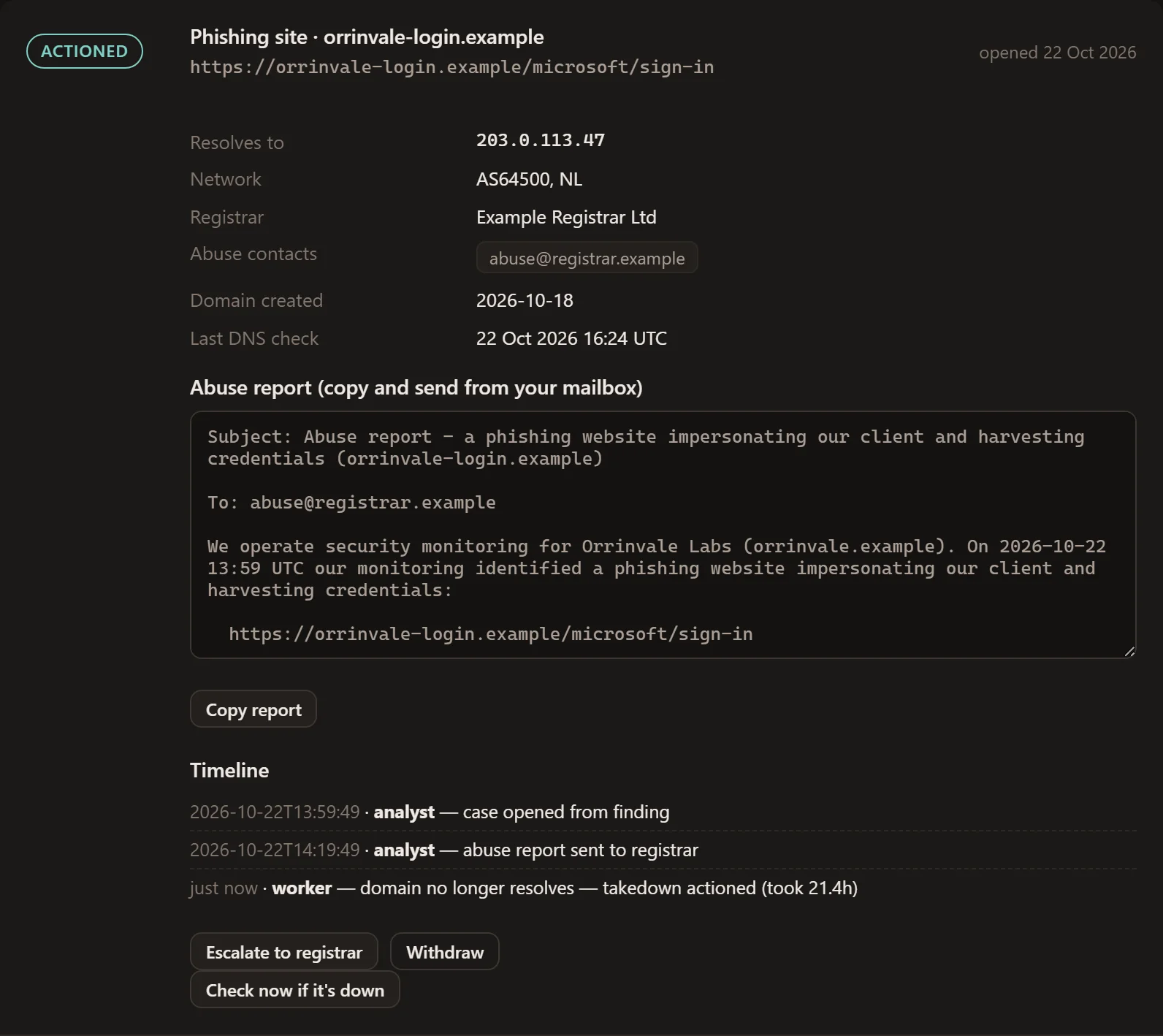
Phishing takedowns
The abuse report writes itself
Open a case from a lookalike finding or any URL. LeakHawk looks up who hosts and registers the site, writes the abuse report, and re-checks every two hours until the domain stops resolving, recording how long the takedown took.
- Registrar, network and abuse contacts found for you
- Ready-to-send report with the evidence
- Status tracked to “actioned” automatically
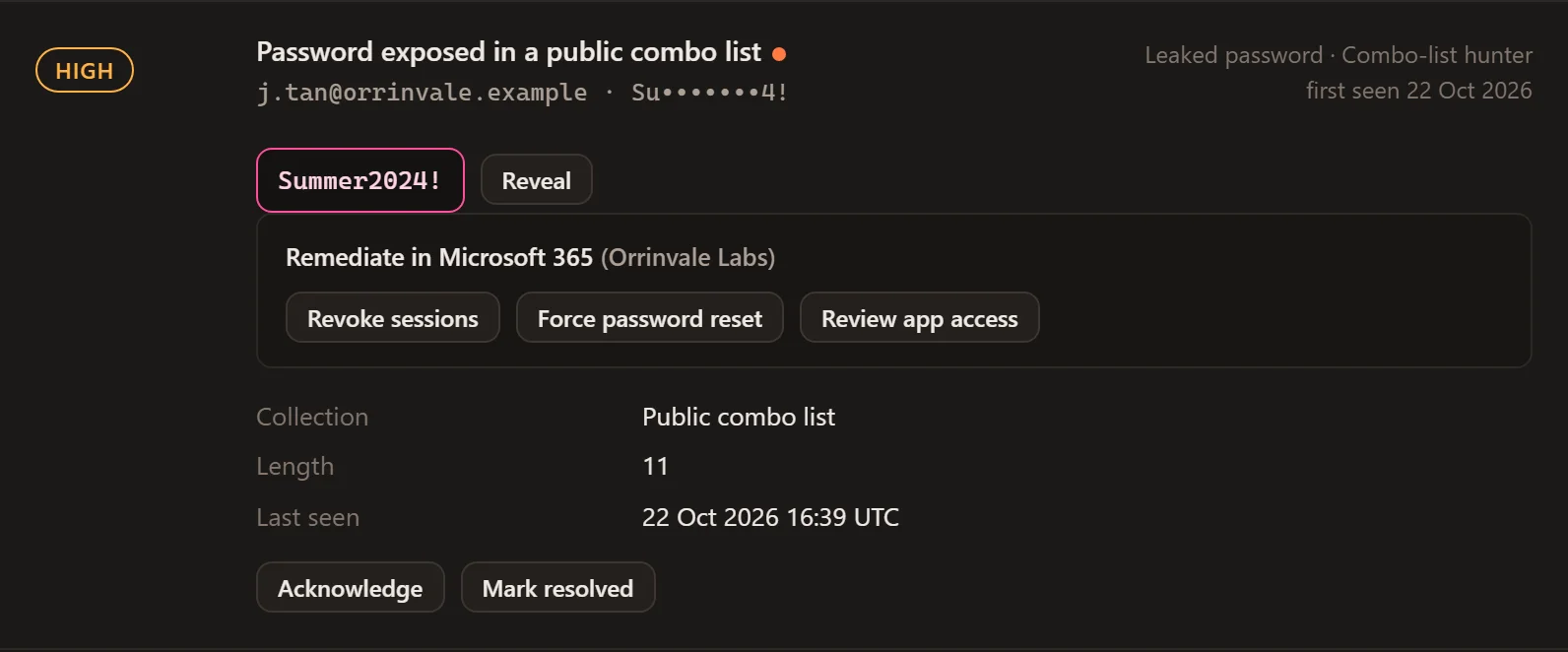
Cleartext, handled carefully
Masked until you prove it’s you
Leaked passwords are encrypted at rest and shown masked everywhere, including alerts. Seeing one in full takes a fresh authenticator code, opens a short window, and leaves an audit entry behind.
- Encrypted at rest, masked by default
- Fresh MFA code for every reveal window
- Cleartext purged 30 days after a finding is resolved
Built to be trusted
Leaked data is sensitive. We treat it that way.
Private deployment
The dashboard is reachable only over a private VPN, never the open internet.
Mandatory MFA
Password plus authenticator code for every analyst, with lockout on repeated failures.
Encrypted at rest
Leaked passwords and integration secrets are encrypted before they touch the database.
Masked by default
Secrets are masked in the UI and in every alert. Cleartext never appears in a page by default.
Full audit trail
Every reveal, remediation and settings change is logged with who, what and when.
Short retention
Cleartext from resolved findings is purged automatically after 30 days.
Who it's for
Threat intel without a threat-intel team
Growing companies
You don't have a threat-intel team, but your staff reuse passwords and your brand gets copied.
MSPs and IT providers
Watch every client from one dashboard, with per-company settings and a run history to show for it.
Security leads
Turn exposure into actions you can close: reset, revoke, take down, with an audit trail behind each one.
Questions
Find out what's already out there.
We'll run LeakHawk against your domains and walk you through what it finds, privately.